
Ta treść nie jest jeszcze dostępna w Twoim języku.
Symfonium supports smart filters that you can save and load at any time to filter your data by many different rules and criteria.
From the main library nodes, press the filter button to access the smart filters.
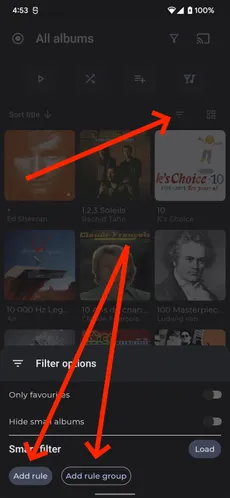
From the filter screen you can press Add rule to add a single filter rule, pressing the Add rule group button start a new group of rules.
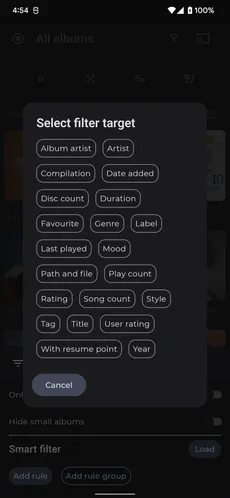
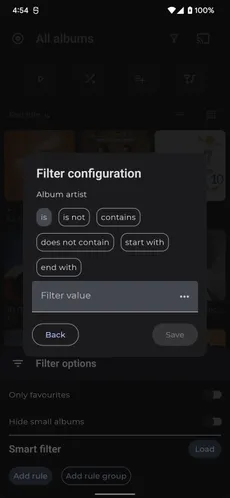
A rule corresponds to a filter target like Artist, Duration, … and a filter configuration that applies to that target. Targets are specific to each media type (Albums, Artists, Songs), and the filter configuration depends on the type of data being filtered.
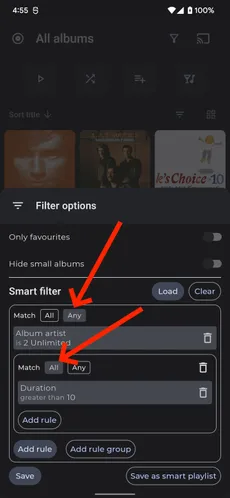
The different rules are then applied based on the Match configuration setting.
With All, the media must match all the rules (for example, rule 1 AND rule 2).
With Any, the media only needs to match one of the rules (for example, rule 1 OR rule 2).
If you intend to reuse those filters, press the Save button to save them. You can then load them at any time by pressing the Load button.
You can also save the smart filters as Smart playlist by pressing the Save as smart playlist button.