Bu içerik henüz dilinizde mevcut değil.
Interface
Section titled “Interface”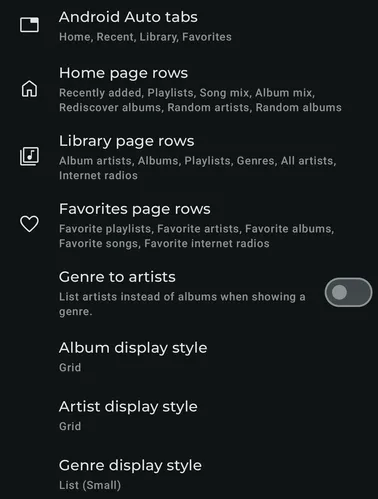
Android Auto tabs
Section titled “Android Auto tabs”Configure the top visible tabs in Android Auto and their order.
Home page rows
Section titled “Home page rows”Configure the Home page rows in Android auto and their order.
Library page rows
Section titled “Library page rows”Configure the Library page rows in Android auto and their order.
Favorite page rows
Section titled “Favorite page rows”Configure the Favorite page rows in Android auto and their order.
Genre to artists
Section titled “Genre to artists”When enabled clicking on a Genre in Android Auto shows the list of Artists with that Genre instead of albums.
Album display style
Section titled “Album display style”Configure how the album items are displayed in Android Auto
Artist display style
Section titled “Artist display style”Configure how the artist items are displayed in Android Auto
Genre display style
Section titled “Genre display style”Configure how the genre items are displayed in Android Auto
Restore defaults
Section titled “Restore defaults”
This button restores all settings on this page to their default values. You can also use the backup and restore function to switch between different configurations of the settings with ease. (Settings - Backup & restore)
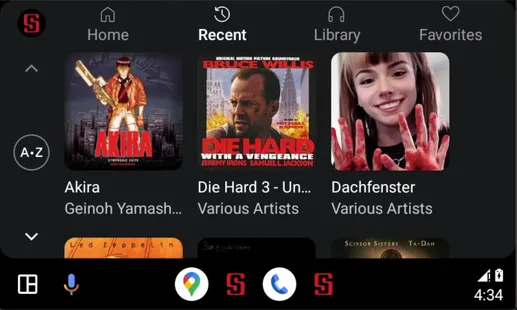
Styles preview
Section titled “Styles preview”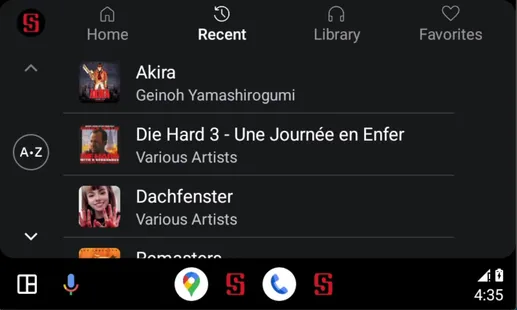
List (Small)
Section titled “List (Small)”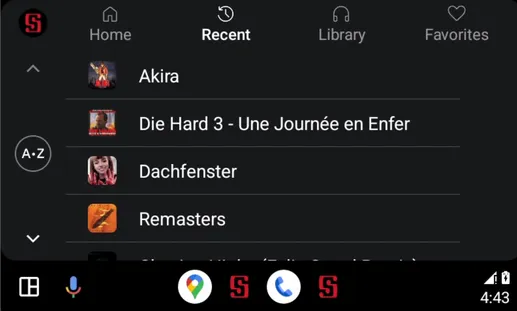
Grid (Small)
Section titled “Grid (Small)”