
Bu içerik henüz dilinizde mevcut değil.
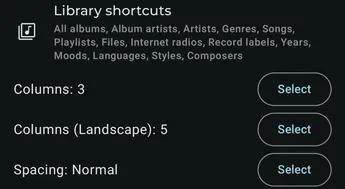
Available settings
Section titled “Available settings”Library shortcuts
Section titled “Library shortcuts”Select and order the navigation buttons in the library page.
Columns
Section titled “Columns”Select the number of columns to display in portrait mode.
Columns (Landscape)
Section titled “Columns (Landscape)”Select the number of columns to display in landscape mode.
Spacing
Section titled “Spacing”Select the spacing between library buttons.