
Это содержимое пока не доступно на вашем языке.
Symfonium offers a consolidated view of all your media providers and their libraries.
There may be times when you want to filter visible data to show only specific libraries or media that is available offline.
If you enable the Available offline filter, then only media that are cached locally will be played.
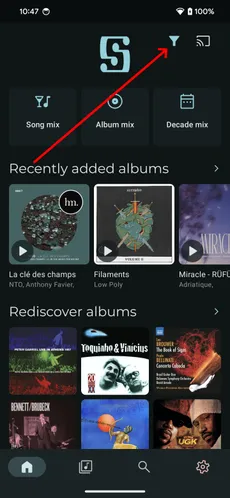
You can do this in most screens by pressing the global filter button at the top right of the screen.
In the filter view, click media provider cards to hide a provider completely, or click specific libraries to hide only those libraries.
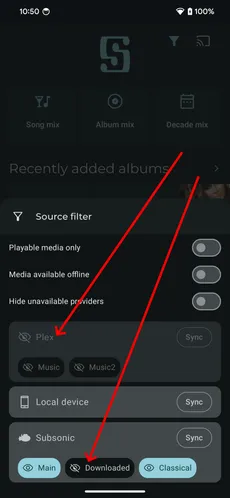
Playable media only
Section titled “Playable media only”When enabled, this filter automatically hides all media that cannot be played (provider offline or media not cached for offline use).
Media available offline
Section titled “Media available offline”When enabled, only media cached on the device can be played, ensuring no media is streamed from your server.
Hide unavailable providers
Section titled “Hide unavailable providers”When enabled, offline providers are automatically hidden.