
Это содержимое пока не доступно на вашем языке.
Symfonium offers many settings and tools to help you configure the application to perfectly fit your needs.
Given the multitude of settings available within the application, a comprehensive tree of all settings can be accessed via Settings - All settings tree. This will facilitate the efficient and effective location of the specific setting(s) you require.
Settings
Section titled “Settings”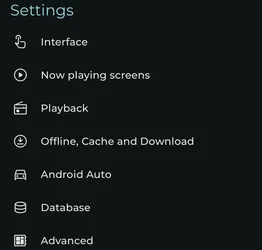
Interface
Section titled “Interface”Configure many different interface related settings like themes, shortcuts, tab buttons, home page, artist page, …
Playback
Section titled “Playback”Configure everything related to the actual playback. Equalizer, transcoding, automatic actions, …
Offline, cache and download
Section titled “Offline, cache and download”Configure everything related to the offline cache, download quality, playback cache, …
Android Auto
Section titled “Android Auto”Android Auto specific settings Requires v7.2+
Advanced
Section titled “Advanced”As the name suggest advanced settings and debug mode when requested by support.
Miscellaneous
Section titled “Miscellaneous”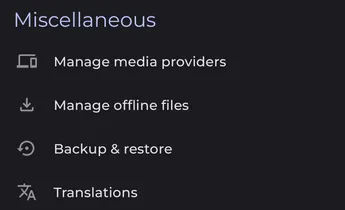
Manage media providers
Section titled “Manage media providers”Add, remove and configure media providers.
Sync manager
Section titled “Sync manager”Open the sync manager to review and manage media-provider synchronization.
Manage offline files
Section titled “Manage offline files”Manage the cached files, the download queue and the automatic cache rules.
Manage generated files
Section titled “Manage generated files”List, export, or delete files generated by Symfonium, such as logs, backups, and ANR reports.
Backup & restore
Section titled “Backup & restore”Backup and restore your settings.
Translations
Section titled “Translations”The application translations are crowdsourced. Press this button to contribute to your language.
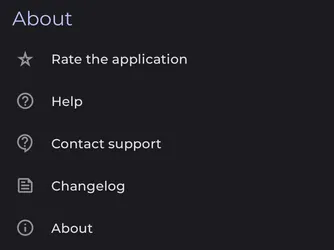
Rate the application
Section titled “Rate the application”Press this button to leave a rating. For feature requests, support and issues, please use this forum as nothing can be done from a Play Store comment.
Open this forum help page: Symfonium help and support
Contact support
Section titled “Contact support”Show the different ways to contact me. Using the forum is preferred as the information can be useful to others.
Changelog
Section titled “Changelog”Display the full changelog for the last version.
Full release history can be seen at Changelog - Symfonium support
Show the application version with some details.