
Это содержимое пока не доступно на вашем языке.
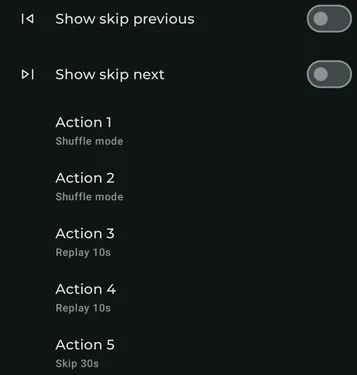
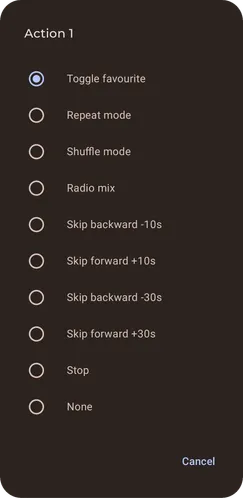
Media session (Android 13+)
Section titled “Media session (Android 13+)”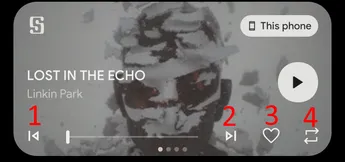
In the notification shade this only support 4 actions with the skip previous and skip next position being fixed.
So if you enable both of the skip option, the action button 1 will be in position 3. If you enable none, then action 1 button will be at position 1.
Notification
Section titled “Notification”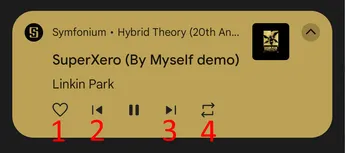
This only support 4 actions with the skip previous and skip next position being fixed.
So if you enable both of the skip option, the action button 2 will be in position 4. If you enable none, then action 2 button will be at position 2.
Android Auto
Section titled “Android Auto”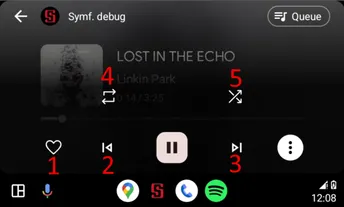
This support 5 actions with the skip previous and skip next position being fixed.
So if you enable both of the skip option, the action button 2 will be in position 4. If you enable none, then action 2 button will be at position 2.
If you do not enable the 5th action (or the 3rd if you enable both skips), the three-dot menu is not visible and all four actions are directly accessible.