
本頁內容尚未翻譯。
Symfonium’s DSP engine supports AutoEQ to improve the sound of your headphones. Symfonium includes the AutoEQ database, so you can easily import well-known profiles with their default values. See Advanced Equalizer / AutoEQ for the built-in workflow.
The AutoEQ web app also lets you tune a profile to your preferences before importing it.
Export the profile from AutoEQ
Section titled “Export the profile from AutoEQ”- Open AutoEQ and customize your headphone profile.
- Select EqualizerAPO GraphicEQ as the equalizer app.
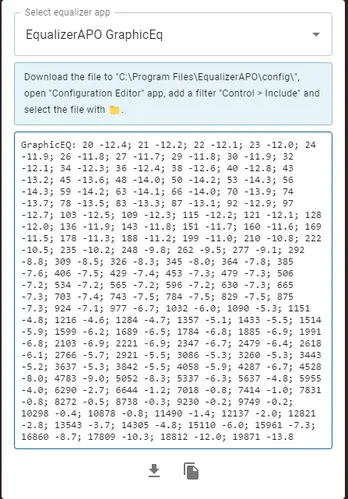
- Press the download button at the bottom of the page.
Import the profile into Symfonium
Section titled “Import the profile into Symfonium”Import the downloaded file from Symfonium’s AutoEQ screen. The Advanced Equalizer / AutoEQ guide explains where to find AutoEQ and how to import a custom GraphicEQ.txt file.
Related pages
Section titled “Related pages”Advanced Equalizer / AutoEQConfigure AutoEQ profiles and the other advanced equalizer features in Symfonium.