Nội dung này hiện chưa có sẵn bằng ngôn ngữ của bạn.
Symfonium supports custom playlist tags to help you organize and quickly filter your playlist collection.
To set the tags of a playlist press the 3 dots menu then select Tags
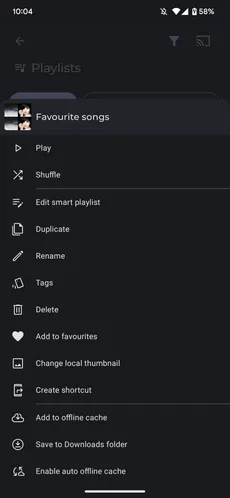
You can enter a list of comma-separated tags.

Once you have added at least one tag, a tag row appears at the top of the playlist list. You can click a tag to show only the playlists associated with that tag.