
The quick filter narrows the media shown in the current list. It is available in most lists, including albums and artists.
- Open a list and press the magnifier icon in its toolbar, beside the sorting and layout controls.
- Type part of a name in the filter field. The list updates as you type.
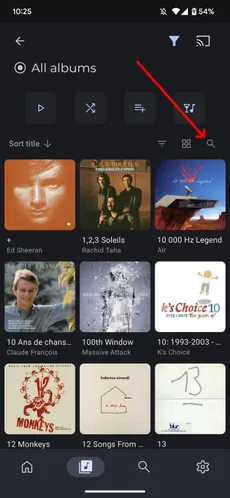
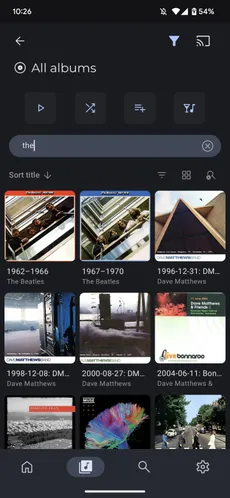
- Clear the text with the cross in the field to remove the text filter. Press the list’s magnifier again to clear the text and hide the field.
If the field stays visible and the magnifier is missing, check Always show filter bar in lists in Settings → Interface → Media lists.
To search across your library, use the Search screen. Its navigation button is separate from the magnifier inside a list.