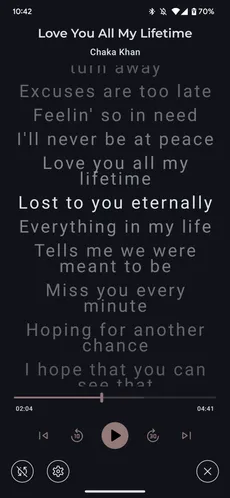
Symfonium supports normal and synchronized lyrics, available from the now-playing screen. (Now playing / current queue)
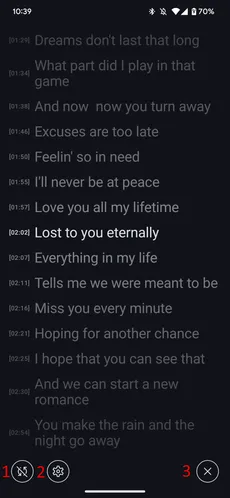
- For synced lyrics, enable or disable automatic scrolling.
- Open the lyrics screen configuration page.
- Close the lyrics screen.
Settings
Section titled “Settings”There’s many different settings allowing to fine tune the lyrics screen to your needs.
Press
at any time to reset all settings to default.
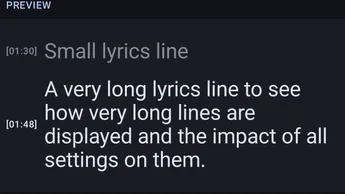
Preview
Section titled “Preview”The Preview part of the screen shows your changes in real time.
Text settings
Section titled “Text settings”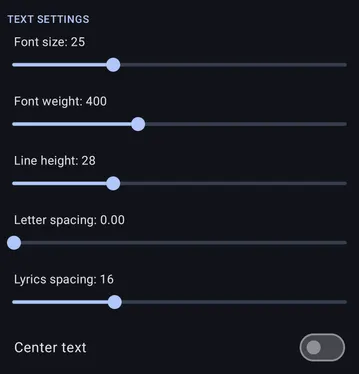
You can configure everything about the font and spacing with the sliders at the top of the settings.
Center text controls whether the text is centered or not.
Interface settings
Section titled “Interface settings”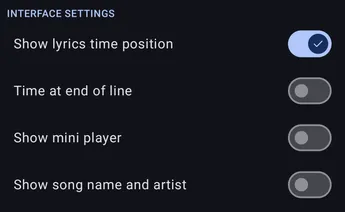
Show or hide the time position on each lyrics line and select if you show it before or after the text.
Show or hide the mini player in the lyrics screen.
Show or hide the song name and artist at the top of the lyrics screen.
For lyrics that provide the required metadata, you can also:
- Enable Karaoke mode for word-level highlighting.
- Show the voice color indicator or hide background voices.
- Hide translations, give translated lines a distinct color, or enable word-synced translation cues.