
Available settings
Section titled “Available settings”Header
Section titled “Header”Use the live preview to configure the genre header. Controls include header size and background, animated artwork, blur and background protection, image size and position, margins, rounded artwork, title and secondary-information placement and scale, More-action placement and style, header slot order, and Back-button visibility.
Page content order
Section titled “Page content order”Choose the order of the Genre page sections.
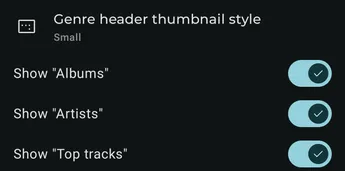
Show “Albums”
Section titled “Show “Albums””Show or hide the album section.
Show “Artists”
Section titled “Show “Artists””Show or hide the artists section.
Show “Album artists”
Section titled “Show “Album artists””Show or hide the album-artists section.
Show “Top tracks”
Section titled “Show “Top tracks””Show or hide the top-tracks section.
Max item count
Section titled “Max item count”Choose the maximum number of tracks in the section.
Top tracks source
Section titled “Top tracks source”Choose whether the section uses the default top tracks, favorites, or most-played tracks.
Dynamic colors
Section titled “Dynamic colors”Choose whether and how the Genre page derives colors from its artwork.