Symfonium offers a secure way to share files with support so that only support can access them. This improves privacy and simplifies the process.
From your phone or computer
Section titled “From your phone or computer”Open the Symfonium secure file-sharing page, then drag and drop the files to share.
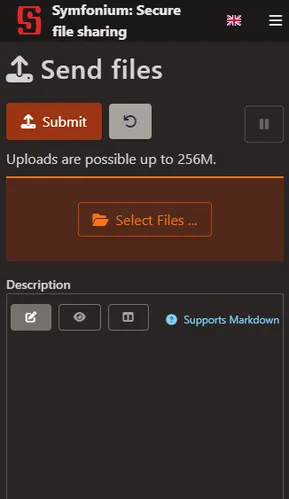
Add a description containing your forum nickname or something you will also give to support so they can find your files.
Then press Submit.
From Symfonium
Section titled “From Symfonium”Requires v7.1+
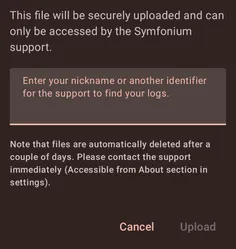
You can upload logs directly from the app.
Use the Share logs with support button for current logs.

For previous logs, use the upload button in Manage Symfonium generated files.

Fill the description field with your forum nickname or something you will also give to support so they can find your files.
Related pages
Section titled “Related pages”How to gather logs and open an issueCollect Symfonium logs, describe your issue clearly, and send the details support needs to investigate problems.