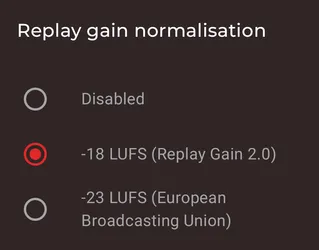
Symfonium supports ReplayGain with separate settings for each playback output.
The replay gain values are extracted from the media tags. Supported tags are (case does not matter):
- REPLAYGAIN_TRACK_GAIN
- REPLAYGAIN_ALBUM_GAIN
- R128_TRACK_GAIN
- R128_ALBUM_GAIN
Once your files are properly tagged, configure Symfonium to choose which ReplayGain value should be applied.
Open Settings > Playback > Output settings, select the output device, then open its Equalizer tab. Changes are saved for that output, so the phone speaker, wired or Bluetooth devices, USB devices, and remote playback can each use different settings.
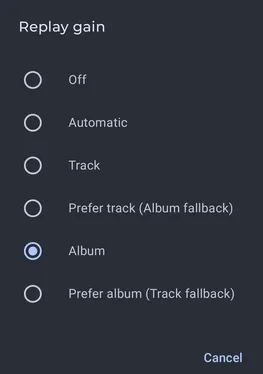
The Automatic mode switches between track and album ReplayGain based on how playback was started. For example, it uses track gain for a playlist and album gain when playing an album.
By default, ReplayGain is applied only when playing locally.
To apply ReplayGain while casting, open Settings > Playback > Output settings > Remote playback > Equalizer and enable Casting replay gain processor. The ReplayGain mode and normalization controls then become available for remote playback.
This experimental option uses the transcoding engine to apply ReplayGain while Symfonium proxies the media. It uses more battery and requires storage for temporary files.
When ReplayGain is enabled, you can also control how values from different tag standards are normalized, for example when mixing MP3 and Opus files.