
Symfonium can choose music for you with a mix, shuffle media when you start playback, or change the playback order of your current queue. These actions use different rules for selecting and ordering tracks.
Personal mixes
Section titled “Personal mixes”Personal mixes combine familiar favorites, tracks you have not heard for a while, and music to discover. They use the media available in the current list and respect global filters such as enabled media providers, selected libraries, and offline availability.
When choosing tracks, Symfonium:
- Excludes tracks you have excluded from personal mixes, tracks rated 1 or 2 stars, and tracks skipped within the last seven days.
- Leaves out some of the most recently played tracks to reduce repetition.
- Balances favorites, highly rated or frequently played tracks, other familiar tracks, and the remaining music.
- Gives discovery more room when your library contains much more unfamiliar music than familiar music.
- Tries to spread out artists and albums, and limits an artist’s share of a general personal mix when enough alternatives are available.
The result depends on the available music and your listening history. A small or heavily filtered selection gives the generator fewer alternatives.
Start a mix from the home page’s mix shortcuts or a Personal mix button on a media page:
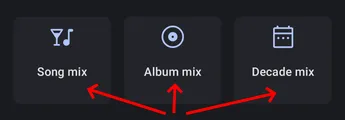
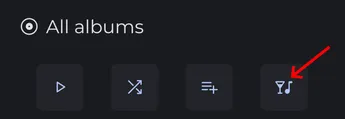
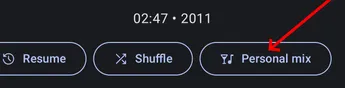
Instant mixes
Section titled “Instant mixes”Use Instant mix to start a mix around a track or artist. Symfonium finds music matching the source’s genres, then uses the personal mix generator to select tracks.
When starting from an artist, tracks by that artist receive extra weight in the selection. The result also depends on the genre information available in your library.

Radio mixes
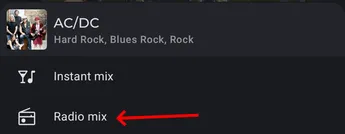
Section titled “Radio mixes”Use Radio mix for recommendations from your media provider. The provider must be online and support similar tracks or similar artists.
- For a track, Symfonium first tries the provider’s similar-track recommendations when supported.
- Otherwise, it looks for similar artists and uses their tracks as the source for the personal mix generator.
- If the provider does not return enough usable recommendations, including when a network error prevents results, Symfonium falls back to an Instant mix.
Shuffle
Section titled “Shuffle”The Shuffle button on a media list or details page builds a queue from that selection and rearranges it before playback starts.
By default, weighted shuffle spreads out tracks by the same artist or from the same album. It changes their order rather than selecting tracks according to your ratings or listening history. Repetitions can still occur when the selection has few artists or albums.
For standard random ordering, enable Disable weighted shuffle.


Shuffled (Shuffle mode)
Section titled “Shuffled (Shuffle mode)”Toggle shuffle mode from the now playing screen or the current queue to randomize the playback order of the existing queue. The current track stays selected.
This mode uses standard random ordering, so tracks by the same artist or from the same album can play consecutively. Turning it off restores the queue’s initial order.

Use standard random shuffle
Section titled “Use standard random shuffle”This setting changes the Shuffle action when starting media. Personal mixes keep their own selection rules, and the queue’s shuffle mode already uses standard random ordering.