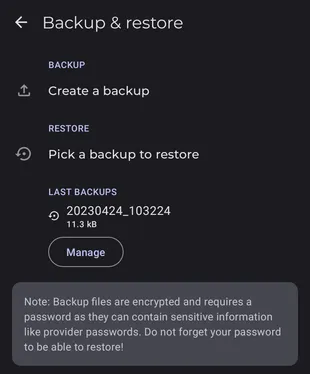
Symfonium can back up and restore its settings and media providers. More data types will be added later.
Available settings
Section titled “Available settings”Backup
Section titled “Backup”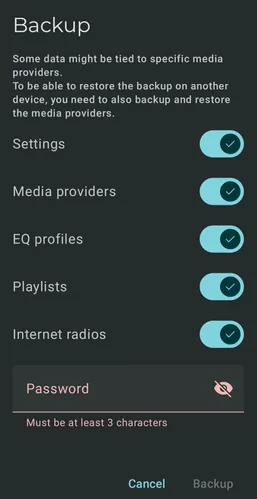
When you create a backup, choose what it includes and set a password.
The password is used to encrypt the file, do not forget it!
Restore
Section titled “Restore”You can restore previous backups by clicking them in the backup list. This requires your password.
You can also load a backup file from Google Drive or another location by clicking the Pick a backup to restore button.