
On most screens Symfonium have a small header above the content lists that allows you to filter or configure how to display and sort the data.
Depending on the screen, not all buttons may be present.
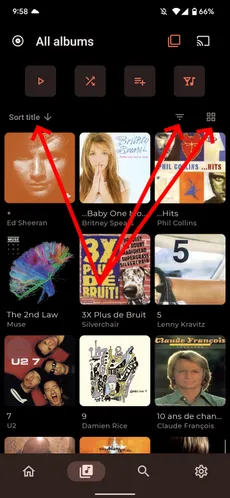
Each screen remembers its sorting preference. Select the same option again to invert the order (ascending → descending).

Each screen may offer contextual filters, like favorite only, only album artist, …

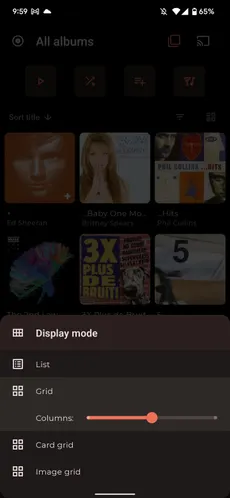
Most screens propose different display modes. For the grid modes, you can also configure the number of columns you prefer.
Related pages
Section titled “Related pages”Filter providers, libraries, and offline mediaFilter visible Symfonium content by provider, library, offline availability, playable media, and unavailable sources.